
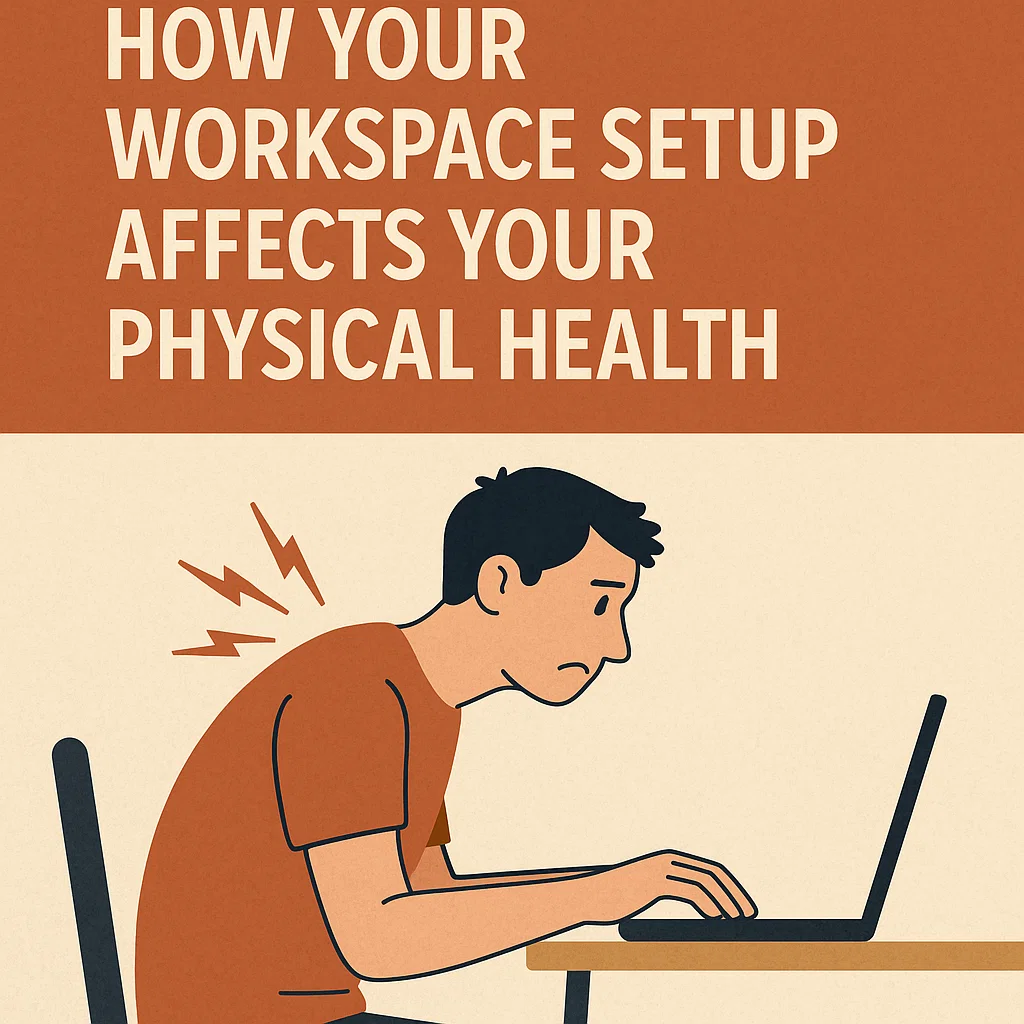
Think about this for a moment: the average office worker spends roughly 1,700 hours per year at their desk. That’s more time than many people spend sleeping in their beds. Yet while we carefully choose mattresses for comfort and support, we often give little thought to how our workspace setup affects our bodies during those long working hours.
The relationship between our physical environment and our health is more profound than most people realize. Your workspace isn’t just where you get things done—it’s actually shaping your body, influencing everything from your posture and muscle development to your circulation and even your mood. Understanding this connection is the first step toward creating a healthier, more productive work environment.
Understanding the Foundation: What Ergonomics Really Means
Before we dive into specific workspace elements, let’s build a clear understanding of what ergonomics actually means. The word comes from two Greek terms: “ergon” meaning work, and “nomos” meaning laws or rules. Essentially, ergonomics is the science of designing work environments to fit the worker, rather than forcing the worker to adapt to poor design.
Think of ergonomics like tailoring a suit. A well-tailored suit moves with your body, supports your natural posture, and allows you to function comfortably throughout the day. An ill-fitting suit restricts movement, creates pressure points, and leaves you feeling uncomfortable and distracted. Your workspace operates on the same principle.
The human body evolved for movement and variety, not for remaining in fixed positions for extended periods. When we understand this fundamental mismatch between our biology and modern work demands, we can begin to design solutions that work with our bodies rather than against them.
The Chair: Your Foundation for Physical Health
Your office chair serves as the foundation for everything else in your workspace setup. Like the foundation of a house, if this element isn’t right, everything else built upon it will be compromised. Research from occupational health specialists consistently shows that proper seating can prevent a cascade of physical problems, while poor seating creates a domino effect of issues throughout the body.
The concept of “neutral spine” is central to understanding good seating. Picture your spine as it appears when you’re standing naturally—it has gentle curves that help distribute weight evenly. A good chair maintains these natural curves rather than forcing your spine into unnatural positions. When your lower back (lumbar region) loses its natural curve, the upper back compensates by rounding forward, which then causes the neck to crane forward to keep the head level. This chain reaction affects your entire musculoskeletal system.
The height of your chair creates the foundation for this spinal alignment. When your chair is too high, your feet don’t rest comfortably on the floor, creating pressure behind your knees and forcing you to perch on the edge of the seat. This eliminates the chair’s back support and creates tension throughout your legs and lower back. Conversely, when your chair is too low, your knees rise above your hips, flattening the natural lumbar curve and creating the rounded-back posture that leads to so many workplace-related physical issues.
Armrest positioning affects far more than just your arms. When armrests are too high, they force your shoulders upward, creating tension in the neck and upper back muscles. When they’re too low or absent entirely, your arms hang unsupported, pulling on the shoulder and neck muscles throughout the day. Proper armrest height allows your shoulders to relax in their natural position while providing support for your forearms.
The Desk: Creating Your Command Center
The relationship between your chair and desk height creates what ergonomics experts call your “work triangle”—the spatial relationship between your eyes, hands, and feet. This triangle determines how your body positions itself during work, influencing everything from circulation to muscle tension.
Desk height affects your arm and shoulder positioning in ways that ripple throughout your upper body. When your desk is too high, you’re forced to raise your shoulders to reach your keyboard and mouse, creating constant tension in the trapezius muscles that run from your neck to your shoulders. Over time, this can lead to the development of trigger points and chronic muscle tension that many people experience as persistent neck and shoulder pain.
A desk that’s too low creates the opposite problem but with equally significant consequences. You’ll find yourself hunching over to reach your work surface, which rounds the upper back and pushes the head forward. This forward head posture is particularly problematic because it changes the natural curve of the cervical spine and increases the load on the muscles that support your head. Consider that your head weighs approximately 10-12 pounds in its natural position, but for every inch it moves forward, the effective weight on your neck muscles doubles.
The depth of your desk also plays a crucial role in your physical comfort. A desk that’s too shallow forces you to keep your arms close to your body, restricting natural movement and potentially creating tension in the shoulder muscles. A desk with adequate depth allows you to position your keyboard and mouse at the proper distance while maintaining relaxed shoulders and comfortable arm positioning.
Monitor Placement: Protecting Your Vision and Neck
The positioning of your computer monitor creates a powerful influence on your neck posture, which in turn affects your entire spinal alignment. The human head is designed to sit balanced on top of the spine, but when we look down at screens or crane our necks upward, we create muscle imbalances that can have far-reaching effects.
The “20-20-20 rule” has become well-known in workplace wellness circles, and understanding why this rule works helps illustrate the broader principle of visual ergonomics. Every 20 minutes, looking at something 20 feet away for 20 seconds gives your eye muscles a chance to relax and refocus. But this rule addresses just one aspect of visual stress. The positioning of your monitor determines how your neck muscles work throughout the entire day.
When your monitor is too low, you naturally tilt your head downward to see the screen. This position shortens the muscles at the back of your neck while lengthening and weakening the muscles at the front. Over time, this imbalance can become structural, leading to the forward head posture that’s become increasingly common in our screen-dominated work culture.
The distance between your eyes and your monitor also affects both your vision and your posture. When screens are too close, you may lean back to compensate, changing your spinal alignment. When they’re too far away, you lean forward, again disrupting your natural posture. The general guideline of arm’s length distance works for most people, but the key principle is finding a distance where you can see clearly without changing your natural, upright posture.
Multiple monitor setups introduce additional considerations. The way you arrange multiple screens affects how often you turn your head and whether you develop preferences that create asymmetrical muscle use. Centering your primary monitor directly in front of you and angling secondary monitors to minimize head turning helps maintain balanced muscle use throughout your workday.
Keyboard and Mouse: The Tools of Daily Interaction
Your keyboard and mouse are the tools you interact with most frequently during your workday, and their positioning has a direct impact on your arm, shoulder, and hand health. The concept of “neutral wrist position” is fundamental to understanding how these tools affect your body.
Imagine your hands hanging naturally at your sides—notice how your wrists are straight, neither bent up toward your body nor angled down toward the floor. This neutral position allows the tendons in your forearms to glide smoothly through the carpal tunnel in your wrist. When you bend your wrists in either direction while typing or using a mouse, you create pressure on these tendons and the median nerve that passes through the same tunnel.
Keyboard height and angle work together to influence wrist position. Many keyboards have small feet that angle the back of the keyboard upward, but this actually forces your wrists into an extended position that can increase pressure in the carpal tunnel. Keeping keyboards flat or even slightly angled away from you often promotes better wrist alignment.
The positioning of your mouse relative to your keyboard affects your shoulder posture throughout the day. When your mouse is too far away, you reach for it repeatedly, which can create tension in the shoulder and neck muscles. When it’s positioned at a different height than your keyboard, you create awkward arm positions that can lead to muscle imbalances over time.
Mouse size and shape also influence how your hand and arm work during computer use. A mouse that’s too small for your hand can cause you to grip it tensely, creating unnecessary muscle tension. A mouse that’s too large can force your fingers into awkward positions or require excessive reaching with your thumb and pinky fingers.
Lighting: The Overlooked Health Factor
The lighting in your workspace affects your physical health in ways that extend far beyond simple vision comfort. Poor lighting creates a chain reaction of physical adaptations that can impact your posture, increase muscle tension, and contribute to fatigue that affects your overall well-being.
When your workspace is too dim, you naturally lean closer to your work or crane your neck to see better. This changes your posture and can lead to the same forward head position and rounded shoulders that we see with poor monitor placement. Conversely, when lighting is too bright or creates glare on your screen, you may squint or position your head at awkward angles to reduce the visual discomfort.
Glare from windows or overhead lights reflecting off your computer screen forces your visual system to work harder to distinguish between the bright reflections and the content you’re trying to read. This extra visual effort can lead to eyestrain, but it also causes subtle changes in head position as you unconsciously try to find angles that reduce the glare. These small postural adjustments, repeated throughout the day, can contribute to neck and shoulder tension.
The direction of light in your workspace also matters for maintaining good posture. Light coming from behind your monitor can create a backlit effect that makes it harder to see screen content clearly. Light coming from directly overhead can create shadows on your work surface or keyboard, again forcing you to adjust your posture to see clearly.
The Movement Factor: Why Static Positions Harm Health
Even the most perfectly designed workspace becomes problematic if you remain in the same position for extended periods. The human cardiovascular system relies on muscle contractions to help pump blood back to the heart, particularly from the lower extremities. When you sit still for long periods, this muscle pump action is reduced, leading to decreased circulation and the pooling of blood in your legs.
This reduced circulation affects more than just comfort—it impacts your energy levels, cognitive function, and overall health. Research has shown that prolonged sitting can lead to decreased insulin sensitivity, reduced metabolic rate, and changes in how your body processes fats and sugars. These effects begin within hours of prolonged sitting and can have cumulative health impacts over time.
The concept of “micro-breaks” addresses this need for movement without disrupting productivity. These aren’t lengthy breaks from work, but rather small movements and position changes that keep your body active throughout the day. Something as simple as standing while reading emails or walking to speak with a colleague instead of sending a message can provide the movement your body needs.
Varying your working positions throughout the day also helps prevent the muscle imbalances that develop from maintaining any single posture for too long. Sit-stand desks have gained popularity because they allow you to alternate between sitting and standing throughout the day, but the key isn’t to stand all day—it’s to change positions regularly.
Recognizing the Signs: When Your Workspace Needs Attention
Your body provides continuous feedback about how well your workspace is supporting your health, but we often learn to ignore or adapt to discomfort rather than addressing its source. Learning to recognize the early signs of workspace-related physical stress can help you make adjustments before minor issues become significant problems.
Muscle tension often develops gradually, starting as mild stiffness or fatigue and progressing to more persistent discomfort. Tension in your neck and shoulders at the end of the workday often indicates that your monitor, keyboard, or chair positioning is forcing you to hold your head or shoulders in unnatural positions. Lower back stiffness typically suggests issues with your chair height, lumbar support, or the relationship between your chair and desk.
Changes in your energy levels throughout the day can also reflect workspace ergonomics. If you find yourself feeling unusually fatigued by mid-afternoon, poor circulation from prolonged sitting or the extra effort required to maintain awkward postures might be contributing factors. Difficulty concentrating or increased irritability can sometimes trace back to physical discomfort that you’ve learned to tune out consciously but that still affects your overall well-being.
Visual symptoms like headaches, eyestrain, or difficulty focusing can indicate problems with monitor positioning, lighting, or the need for more frequent visual breaks. These symptoms often develop so gradually that people attribute them to stress or workload rather than recognizing them as signs that their physical environment needs adjustment.
Creating Your Optimal Workspace: A Step-by-Step Approach
Improving your workspace ergonomics doesn’t require expensive equipment or dramatic changes. Often, small adjustments to your existing setup can create significant improvements in comfort and health. The key is to approach these changes systematically, making one adjustment at a time and allowing your body to adapt before making additional changes.
Start with your chair, as it forms the foundation for everything else. Adjust the height so your feet rest comfortably on the floor with your thighs parallel to the ground. If your desk height doesn’t allow for this positioning, consider using a footrest to achieve proper leg positioning. Adjust the backrest to support the natural curve of your lower back, and position armrests to support your forearms without raising your shoulders.
Once your chair is properly adjusted, address your monitor positioning. The top of your screen should be at or slightly below eye level when you’re sitting upright. If you wear bifocal or progressive glasses, you may need to lower the monitor slightly to maintain comfortable neck positioning while looking through the appropriate lens area.
Position your keyboard and mouse so your arms can hang naturally at your sides with your forearms parallel to the floor. Your wrists should remain straight while typing, neither bent up nor angled down. Keep your mouse close to your keyboard to avoid reaching, and consider switching hands occasionally if you do extensive mouse work.
Evaluate and adjust your lighting to minimize glare while providing adequate illumination for your tasks. Position light sources to the side of your monitor rather than directly behind or in front of it. If glare is unavoidable, consider adjusting your monitor angle or using an anti-glare screen.
The Long-Term Perspective: Investing in Your Future Health
The effects of poor workspace ergonomics develop gradually, which means the benefits of improvements also accumulate over time. Making ergonomic improvements to your workspace is essentially an investment in your future health and productivity. The small efforts you put into optimizing your work environment today can prevent significant health issues and maintain your quality of life as you continue your career.
Research from occupational health studies suggests that ergonomic improvements can reduce workplace-related musculoskeletal problems by 40-60%. These aren’t just comfort improvements—they represent meaningful reductions in pain, fatigue, and the potential for developing chronic conditions that could affect your life both at work and at home.
The productivity benefits of good ergonomics often surprise people. When your body is comfortable and properly supported, you can focus your mental energy on your work rather than constantly adjusting your position or managing discomfort. Many people report increased concentration, reduced fatigue, and improved mood after optimizing their workspace setup.
Consider ergonomic improvements as preventive healthcare. Just as you might invest in a good mattress to support quality sleep or quality shoes to support your feet and posture, investing time and attention in your workspace setup supports your health during the significant portion of your life spent working.
Your workspace setup profoundly affects your physical health in ways that extend far beyond simple comfort. By understanding the principles of ergonomics and making thoughtful adjustments to your work environment, you can support your body’s health and maintain your well-being throughout your career. Remember that small, consistent improvements often yield better results than dramatic changes, and that the best workspace setup is one that supports your body’s natural positioning while allowing for regular movement and position changes throughout your day.
The relationship between your workspace and your health is ongoing and dynamic. As your work tasks change, as you age, or as your physical condition evolves, your workspace needs may change as well. Staying attentive to how your body responds to your work environment and making adjustments as needed ensures that your workspace continues to support your health and productivity over the long term.
Disclaimer: This article provides educational information about workplace ergonomics and is not intended as medical advice. Always consult with healthcare professionals for personal health concerns.